Udemy
Turn what you know into an opportunity and reach millions around the world.
Learn More
Your cart is empty.
Keep shopping
Unleash Your Web Wizardry: A Captivating Beginner's Guide to
Rating: 4.7 out of 5(11 ratings)
2,034 students

Unleash Your Web Wizardry: A Captivating Beginner's Guide to

Be well-versed in web development and decide exactly how you want to put your knowledge to use
Last updated 7/2023
English
English [Auto],

What you'll learn

  • Unleash the power of the Internet as you dive into the fascinating world of connectivity, where you'll swiftly grasp the fundamental concepts
  • Web development education that focuses on either the front or the back end
  • Tutorial on setting up your own website
  • Tutorials on HTML, CSS and Javascript
  • Tutorials on PHP
  • Tutorials on SQL
  • Tutorials on Frameworks such as bootstrap and jQuery

Coding Exercises

This course includes our updated coding exercises so you can practice your skills as you learn.

See a demo
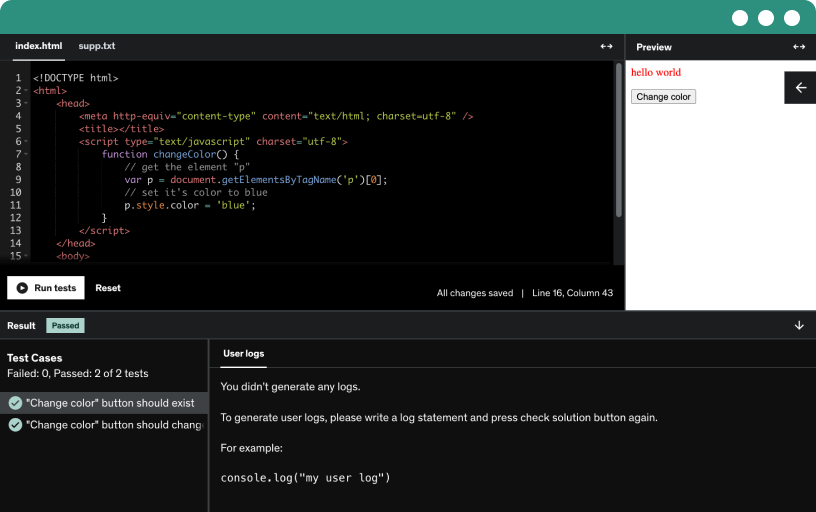
Image of coding exercise example

Course content

1 section • 19 lectures • 2h 48m total length
  • What to expect from the course1:07

    Explore a practical overview of web development with HTML, CSS, JavaScript, PHP, and MySQL, understand front end and back end, and publish your site online.

  • How you can edit any page on the web5:18

    Learn to edit any web page in your browser by inspecting elements. Modify HTML and CSS live, then see changes revert on reload as the back end remains private.

  • Front-end vs Back-end5:16

    Discover how front end, built with HTML, CSS, and JavaScript, renders the browser view while back end powers the logic and data behind it, including databases and authentication.

  • HTML9:37

    Explore the essentials of HTML: set up a code editor, create an index.html, define head and body, use div and heading tags, and apply basic CSS styling.

  • Create an Eye-Catching Contact Form with HTML:
  • CSS11:01

    Explore how to link an external CSS stylesheet, create a CSS folder and file, and define classes and IDs to style HTML elements with media queries for responsiveness.

  • Javascript13:52

    Explore JavaScript as the front-end language, learn project organization with HTML, CSS, and JS folders, and use console.log, alert, and getElementById to manipulate the DOM.

  • Supercharge Your Contact Form: Elevate User Experience with JavaScript Enhancements
  • Frameworks6:19

    Discover how web application frameworks handle heavy lifting and authentication, then explore back-end and front-end options like Django, Ruby on Rails, Laravel, Bootstrap, and jQuery.

  • Bootstrap8:54

    Learn how to download bootstrap, link its CSS, and start building a responsive, styled page using bootstrap components like a header, jumbotron, and container for layout.

  • jQuery17:56

    Learn how jQuery enhances web interactivity with DOM traversal and manipulation, event handling, and Ajax, using selectors and the ready function to respond to clicks and show or hide content.

  • Setting up a basic server6:29

    Set up a local server to run PHP back-end code with the lamp stack, using MAP or WAMP, and access your site and databases via localhost and phpMyAdmin.

  • PHP7:44

    Rename index.html to index.php and run on a server at localhost:8888 to convert a front-end project into a PHP-backed page with server-side variables, printing, and basic if statements.

  • MySQL8:49

    Master MySQL: Store, organize, and retrieve data with ease. Learn essential skills for efficient database management. Enroll now!

  • Connecting to a database12:38

    Establish a PHP database connection, execute a SQL query to fetch usernames and emails, and securely display the results in a Bootstrap-styled container.

  • Deploy Pt. 1: Domain9:19

    Learn to deploy your website by understanding domain versus hosting, buy a domain, and point domain name servers to your hosting so the site is accessible worldwide.

  • Deploy Pt 2: Files5:23

    Connect your domain to hosting, access the cPanel, and upload your website files to public_html, then set up the database to resolve the database connection error.

  • Deploy Pt 3: Database9:53

    Deploy pt 3: database shows how to set up and connect a remote database, export and import sql, create a user and privileges, and update credentials for a live site.

  • Using FTP8:08

    Learn how FTP enables editing website files with a local code editor, connect via Cyberduck or FileZilla, and upload changes to the public HTML.

  • Extra: Wordpress19:09

    Discover WordPress, the open-source content management system for quick, customizable websites. Learn to install via cPanel, manage Divvy themes with a page builder, and publish blog posts without coding.

  • Conclusion & Class Project1:45

    Publish your first website to internet by applying front end and back end concepts, HTML, CSS, JavaScript, PHP and MySQL, and choose from scratch or WordPress hosting with domain name.

Requirements

  • In other words, you don't need any prior knowledge of code or design
  • PC, Mac, or Linux, any operating system will do
  • The best free code editor in the world will be used, so there's no need to spend money on expensive software

Description

Unlock the Secrets of Web Development: Embark on a Creative Journey with HTML, CSS, & JavaScript


Are you ready to step into the exciting world of web development? Look no further! This comprehensive Udemy course is your gateway to mastering HTML, CSS, and JavaScript and creating stunning websites that captivate audiences.


Web development is not only a highly sought-after skill but also a flexible and rewarding career path. With the demand for web developers skyrocketing, now is the perfect time to dive into this dynamic field.


Whether you're a complete beginner or have some knowledge of HTML, CSS, and JavaScript, this course is designed to cater to your needs. We offer a comprehensive and high-quality learning experience that takes you from the fundamentals to building professional-grade websites using the same tools and techniques employed by industry professionals.


This course is perfect for you if:


— You've never built a website before and feel overwhelmed by the process.

— You have a basic understanding of HTML, CSS, and JavaScript but struggle to create polished and fully functional websites.

— You're a designer eager to expand your skill set and join the ranks of web developers, amplifying your creative potential.


Join us on this thrilling journey as we demystify web development and empower you with the knowledge and skills needed to bring your digital vision to life. Our expert instructors will guide you every step of the way, ensuring that you gain practical expertise and develop the confidence to take on real-world web development challenges.


So, are you ready to embark on this fantastic adventure? Now is the time to enroll and unlock the boundless opportunities that await you in the world of web development. Let's get started!

Who this course is for:

  • Those who have never built a website before but are interested in learning how to create one that is professional, beautiful, and responsive
  • Those who have taken HTML and CSS classes but still can't seem to put together a good website are the target audience
  • Design Artists that are looking to learn more about HTML5 and CSS3