
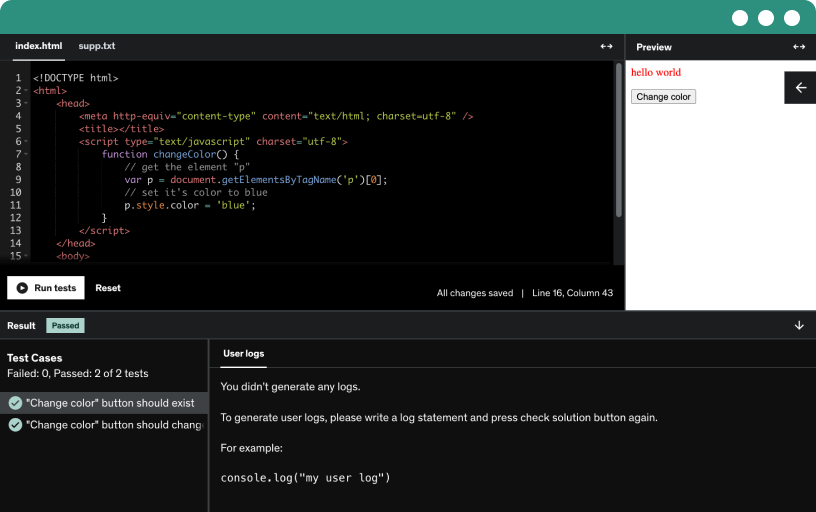
This course includes our updated coding exercises so you can practice your skills as you learn.
See a demo
Learn to build Next.js projects with OpenAI, create a socket.io group chat, and deploy a portfolio site to production. Gain React.js basics and optional GitHub setup, plus community support.
Build four projects and a portfolio site, including a real-time multi-room chat, an OpenAI-powered chat bot, an AI-based tweet generator, and an image generator, deployable for free.
This course targets entry-level developers with basic JavaScript and React skills, offering hands-on development, code and projects access, and Q&A support to build their portfolio and confidence.
Explore how the spread operator creates new arrays and objects to update data without mutating the original state in ReactJS and Next.js.
Learn how destructuring expressions derive values from objects and arrays, assign them to new variables, alias properties, provide default values, and apply this pattern in JavaScript functional components.
Explore ES6 arrow functions, compare them to traditional functions, and learn how to avoid this keyword issues, use concise arguments, and implement a simple error logger in JavaScript.
Learn how the map function creates a new array from an original array without mutating it, then trim names and add is present as true using the spread operator.
Install NodeJS on your local machine by downloading from nodejs.org, selecting your OS (macOS, Windows, or Ubuntu), completing the installation, then verify with node -v and npm -v.
Install Visual Studio Code on your local machine from the official download page, choose your OS, complete the setup, and explore extensions like ES7 React Redux and Prettier.
Create a Next.js app with create next app in Visual Studio Code, choose settings (TypeScript, ESLint, src directory), install dependencies, and run dev to view at localhost:3000.
Set up the project structure for a Next.js app by organizing src with components, layout, chat container, and constants, configure base url, create socket api, and prepare for development.
Install bootstrap in a Next.js app by running npm install bootstrap, import bootstrap CSS, and load bootstrap JS with useEffect, then verify the container class works.
Learn how to install socket.io for a full-stack Next.js app, including server and client installations with npm or yarn, starting the dev server, and preparing for server-side setup.
Set up a socket.io server in a Next.js API route by initializing or reusing the server, listening for the connect event, and logging client connections.
Set up the client side of socket.io in a Next.js app by importing the socket.io client, creating an async socket initializer with fetch to API, and connecting via useEffect.
Create a client-side user model using React portals in a Next.js app, rendering a Bootstrap modal to capture and validate a username.
Build a real-time chat UI with a left room list and right chat panel, storing the username in local storage and using modular room, chat box, and message components.
Learn to build a create room modal for a chat app by wiring a create room model with React state, Bootstrap modal, a portal, input validation, and show hide logic.
Build a chat app in a React/Next.js project using socket.io. Create rooms, broadcast messages, and manage room lists with client-server events and listeners.
Learn to clean up socket.io events on disconnect by removing listeners with a useEffect cleanup to prevent memory leaks, and enhance the chat UI with a styled message box.
Scaffold a next.js project to build an ai-based chat bot with bootstrap five and a header layout. Prepare for OpenAI API integration in upcoming steps.
Explore OpenAI API pricing and free trial credits: get $18 free credits usable for one month, then switch to a paid plan with low pricing on ChatGPT and other models.
Learn to obtain and securely store your OpenAI API key to access chatgpt models and build a chat bot, including creating an OpenAI account and generating API keys.
Build a chat bot UI in a React project with a chat container, header, Bootstrap-styled scrollable message area, and an input group for sending messages.
Set up a chat bot API in a React/Next.js project by building modular components, wiring front-end messages to a secure backend OpenAI API, and handling responses.
Learn how to install and use axios, a promise-based, isomorphic http client for Node.js and the browser, with automatic json serialization, request interception, timeouts, and authentication headers.
Build a tweet generator UI in a Next.js project, creating a functional component with a textarea, a generate button, and state for previous and next tweets via a backend API.
Build a Next.js API route to generate the next tweet using OpenAI's text-davinci-003 via axios. Connect a client UI to post the last tweet and display the generated tweet.
Create a Next.js image generator page that accepts user commands, calls an image API, and displays the generated image with input validation for the generate button.
Create an API endpoint for an image generator using Axios and the OpenAI image generation API, configuring the model, prompt, size (1024x1024), and a URL-based response to deliver image URLs.
Learn to build a portfolio site using a bootstrap five template in next.js, customize it in Excel application, and optimize for Lighthouse SEO before going live with a custom domain.
Optimize a Next.js portfolio app for top Lighthouse performance by removing unused assets and using Next Image, while improving SEO with meta tags and a projects section.
Publish your portfolio project by setting up GitHub and Vercel accounts, cloning a repository, configuring a gitignore, and enabling continuous deployment and integration for real-time updates.
Create a vercel account and deploy your portfolio website using GitHub integration, configuring permissions, importing the project, and deploying with Next.js while adding a custom domain.
Upload a csv or excel file in a reactjs app and parse it into a tabular view, with delete and edit actions, and optional remote API upload or download.
Scaffold a React project, create a header component, and implement a CSV file selector with a hidden input, styled via CSS modules for a polished UI.
Parse a user-selected CSV in React/NextJS using a third-party library called Pop Parser, handle RFC-compliant CSV, skip empty lines, and switch outputs between arrays and JSON with header option.
Parse the csv data and render a table with fields for first name, last name, email, phone, title, and occupation, using a data viewer component and css module.
Parse a CSV file, store its data in the CSV data state, and render the rows in a table body component within the data viewer using map.
Add a delete button to each table row and wire an on delete row handler receiving the row index via anonymous function. Use splice to remove it and update data.
Learn to edit a CSV table row in a React app by toggling an in-row editor, using an editing index and a temporary row copy with save or cancel.
Implement cancel and save editing row data handlers to manage editing state in a CSV viewer, resetting editing data on cancel and updating the CSV data with a mapped array.
In this course, you will build brand new NextJS projects, including a Real-Time Group Chat, AI Tweet Generator, Chatbot, AI Image Generator, Portfolio site and working with CSV Files. You'll learn how to integrate OpenAI into your applications, which will allow you to build real-world applications faster and more efficiently.
Why is this course different?
- While there are plenty of courses on Udemy that teach you about authentication, routing, and basics of Next.JS and ReactJS, this course offers a unique approach by introducing you to OpenAI and demonstrating how to integrate it into your applications.
- If you are someone who has recently started learning front-end development using ReactJS or NextJS then this course is definitely for you!
- In case you want to add some projects to your portfolio as a Beginner then onboard with me on this exciting course where you'll get introduced to the most popular concept of real-time communication, OpenAI and at the end of the course you'll learn how to create a portfolio site and deploy it to production.
How will you get benefit after you join?
By joining this course, you will have access to free updates and new projects with exciting features that will be added over time. At the end of the course, you will have four projects in your portfolio, including a Real-Time chat application and three AI-based applications. You will also learn how to create a portfolio website and deploy your apps using Vercel for free.
Who is this course for?
- This brand new course is ideal for university/college students or beginner level front-end developers looking to build their portfolio and gain confidence.
- If you have tried learning ReactJS and NextJS but have not yet gained the confidence to build real-world applications, this course is perfect for you.
What will you learn?
In each project, you will learn how to implement different features such as real-time communication, AI-based functionality, and how to deploy your app to production. Each project builds on the previous one, and you will gain experience and confidence with each new project.
What will you gain at the end of this course?
- 5 Projects with a Real-Time chat application and 3 AI based Applications in your portfolio.
- Portfolio website to showcase your work to recruiters and companies worldwide.
- Finally, you are going to learn how to deploy your apps using vercel for FREE.
About me:
My name is Tofiq, I'm the Founder of DevelopersHive and have over a decade of experience in Software Engineering and Training. I will be your instructor and answer any questions you may have in the Q&A section
Course Structure:
Each project can be completed in any order, and you will have access to all course materials from the beginning. As you progress through each project, you will gain the knowledge and experience needed to complete the final project, which is the portfolio site.
Certificate:
Upon successfully completing this course, you will receive a certificate that acknowledges your consistency and hard work throughout the course.
Join me on this exciting journey to learn NextJS with OpenAI and build real-world applications!