
This course includes our updated coding exercises so you can practice your skills as you learn.
See a demo
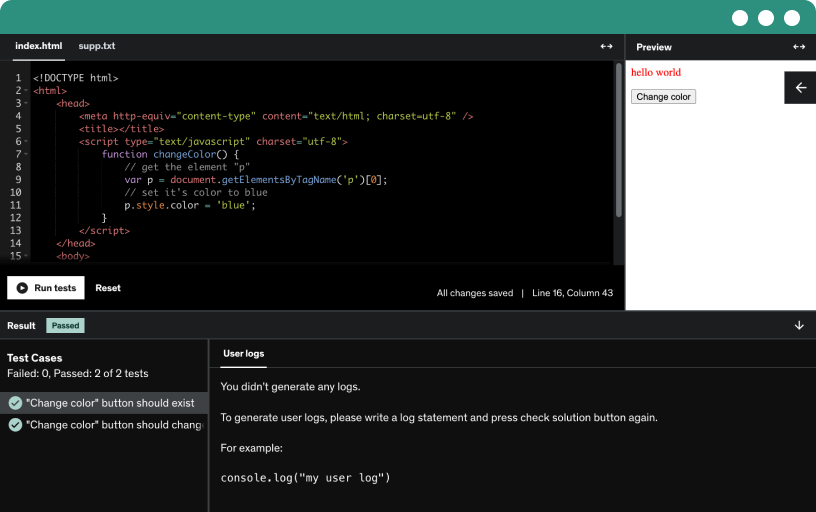
Develop the skill of asking great questions to clarify data science tasks. Use online resources like Google and Stack Overflow, share error codes, and include screenshots to get quick solutions.
Learn to download and install the Sublime Text editor on Windows, with guidance for Linux and Mac, and locate the editor from the start menu after setup.
Learn JavaScript as a lightweight scripting language for client-side and server-side development that powers interactive web pages, browser execution, and just-in-time compilation.
Create a new javascript project folder and an index.html file. Write a hello world script using document.getElementById and innerHTML, then view results in a browser.
Discover how to get output in JavaScript using writing to a page element, the document object, window.alert, and console.log. See how six plus four displays in the browser and console.
Learn to write internal JavaScript in the head with script tags and optional type attributes, then create and append paragraphs via button clicks using addEventListener and document.createElement.
Learn to move internal JavaScript to an external file, link it with a script tag and src attribute in the HTML head, and use defer for reliable loading.
Discover how inline JavaScript works by placing a script tag within the body, distinguish inline, internal, and external JavaScript, and troubleshoot results in the browser.
Explore how external JavaScript loads without blocking page rendering using async and defer, compare execution order, and manage dependencies based on the DOM and script order.
you will learn file extensions and source code notes
Generative artificial intelligence is artificial intelligence capable of generating text, images, videos, or other data using generative models, often in response to prompts. best ai tools are chatgpt, tabnine for developers, and more
You will learn how to learn online courses in a more productive way.
You will know the top AI tools every professional needs to boost productivity and achieve smarter results
Learn JavaScript variables through the four declaration styles, with let and const as modern keywords. See how assignment works and when to use const versus let.
Explore JavaScript data types, including strings with single or double quotes, numbers, booleans, arrays, and objects, and learn variable declaration with let and basic usage in a document context.
Explore numbers as a data type, including integers and decimals, and practice arithmetic with plus, minus, multiplication, and division. Learn how quotes turn numbers into strings, changing calculations.
Explore working with strings in JavaScript, including declaring with let or const, using single or double quotes, concatenation with plus, and measuring length to validate user input such as names.
Learn string formatting in JavaScript by concatenating variables to build names and addresses, and explore using backslashes to create multi-line outputs and preserve structure.
Learn JavaScript operators across arithmetic, assignment, comparison, and logical categories, with hands-on examples of plus, minus, multiply, divide, power, and pre/post increment and decrement.
Learn assignment operators and how the equals sign assigns values to variables. See how +=, -=, *=, and /= update existing values through arithmetic operations.
Master JavaScript comparison operators, including equals, not equal to, less than, greater than, and their inclusive forms, and learn how type affects comparisons between numbers and strings with boolean results.
Explore logical operators in JavaScript, including and, or, and not, with true/false outcomes and simple comparisons like less than ten to show how not negates results.
Explore implementing an if-else statement to validate variables, map dynamic input to messages, and output good evening or good day based on hours.
Explore if-else-if statements to handle multiple conditions with elif, using examples like good morning, good evening, and good day, and learn when to use else if blocks.
Learn to use a while loop to execute code while a condition holds, increment a counter, print numbers up to ten, and build a simple multiplication table with string concatenation.
Explore the do-while loop and its execution flow: enter the block of code, then verify the condition, with practical examples in JavaScript that apply across languages.
Master the for loop by setting an index i, testing i < 10, and incrementing with i, to print numbers and iterate over fruits array, displaying each fruit.
Complete a JavaScript coding exercise that prints the multiplication table for the number two up to ten, testing your knowledge from prior lectures and preparing for the next solution.
Explore a coding exercise solution that demonstrates string formatting, operator usage, and numeric input handling, then prints the result by updating a paragraph element with a specific id.
Learn how to create and use JavaScript functions, pass parameters and arguments, return values, and reuse code through function constructors and examples.
Learn how to define a JavaScript function and invoke it with the call method to pass arguments to build a full name from first name, last name, city, and country.
Define a function with parameters that accepts arguments to sum values in loop, returning total, and note that arguments are passed by value while objects are by reference in JavaScript.
Learn to handle JavaScript errors using try-catch blocks, implement catch blocks, and display error messages to debug and identify issues in code.
Learn to use try-catch-finally in JavaScript for robust error handling and input validation. Implement finally blocks to ensure code runs, even after errors, with clear user messages.
Demonstrate on submit form validation using JavaScript, validating name and email fields, enforcing required input, error messages, and choosing post or get method, with browser-based validation.
Explore Python as an interpreter and high-level language that emphasizes reliable code through significant indentation and supports object-oriented programming for reusable, clear data science projects.
Compare Python and Java for data science, highlighting Python's easy syntax and web app capabilities, open-source and free, against Java's speed and longer code.
Discover why Python is popular for data science. Leverage Python’s vast libraries and Python packages index for analytics, visualization, ML, AI, robotics, IoT, mobile and web apps, and DevOps.
Learn command line basics across Windows and Linux, using cd, dir, and clear screen commands, navigate directories, and check the current directory to prepare Python installation.
Install Python on Windows by downloading the official installer, selecting the latest Python 3.10.2, and adding Python to the path.
Install the PyCharm community edition and use its code editor to write and run Python programs, then launch the IDE and create your first project.
Launch PyCharm to create a new Python project with a virtual environment and a base interpreter, then learn the setup for your first app.
Write and run a simple hello world program in Python using an IDE, creating a new Python file and using print statements to display output.
Unlock the power of Python, JavaScript, and Microsoft SQL for data science with the "Learn Python + JavaScript + Microsoft SQL for Data Science" course. This comprehensive course is designed for those looking to develop a strong foundation in data science and analytics by mastering key programming languages and databases that are integral to data-driven decision-making.
update: Learn the top AI tools every professional needs to boost productivity
learn New ChatGPT AI Tools
You’ll begin by learning Python, one of the most powerful and popular languages for data science. Explore core Python concepts, libraries, and discover how to manipulate, analyze, and visualize data efficiently.
update: Learn the top AI tools every professional needs to boost productivity
Next, you’ll explore JavaScript and its relevance in data science, particularly for building interactive data visualizations and integrating web-based data applications. Learn how to use JavaScript frameworks create interactive graphs and data-driven visualizations that can enhance your data analysis.
The course also covers Microsoft SQL Server, teaching you how to query and manage databases using T-SQL, extract meaningful data with advanced SQL queries, and perform complex data operations. You’ll learn to design efficient database structures, optimize queries, and SQL databases with Python for seamless data processing.
Throughout the course, you’ll work on hands-on projects that integrate all three technologies, preparing you to solve real-world data science problems.
Enroll now and develop the skills you need to become a proficient data scientist using Python, JavaScript, and Microsoft SQL!