
Your cart is empty.
Keep shopping
Java | Core Java Programming with Hands-on Java Projects
208 students
Java | Core Java Programming with Hands-on Java Projects
Comprehensive Core Java programming with Eclipse, covering core Java concepts, Java Swing and advanced Java projects
Created byMuharrem AYDIN, OAK Academy Team
Last updated 11/2026
English
English [Auto],
What you'll learn
- Proficiency in Java 11, java 12, java 14
- Proficiency in Eclipse
- Obtain Core Java skills
- Essential Java basics
- What Java is and how it works
- Programming fundamentals with Java
- Java Development Kit - JDK
- Java Runtime Environment – JRE
- Java Virtual Machine - JVM
- All concepts of Object-Oriented Programming (core java programming)
- How to use ‘static’ keyword
- ‘nested and inner’ classes
- Super Classes and Sub Classes
- Strings
- Wrapper Classes
- Throw vs Throws
- Exceptions
- Java Swing
- Layouts and Grid Layout
- Enum Types and more
- java programming
- android app development
- improve java skills
- learn core java programming
- The instructor has great examples and does a good job of not just speaking in technical jargon the whole time unless he has gone over what the term means.
- He does go slightly past what some people would consider basic Java, but not without explaining it thoroughly.
Explore related topics
Coding Exercises
This course includes our updated coding exercises so you can practice your skills as you learn.
See a demo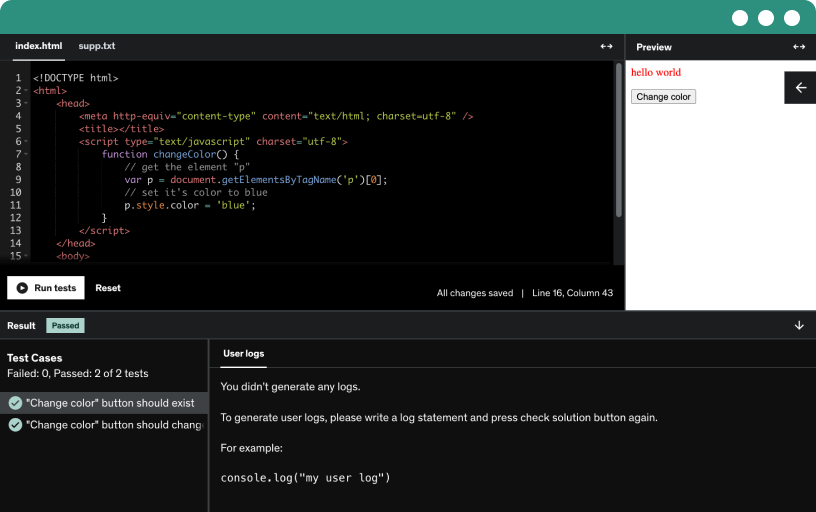
Course content
16 sections • 90 lectures • 10h 14m total length
Requirements
- Basic Computer Knowledge
- Internet Connection
- A computer with a 64-bit operating system
- We prefered Windows OS (64-bit) but this is not mandatory. You can prefer to use other Operating Systems. We also provided specific videos on installations for each platform
- A strong desire to learn and understand Java programming
- No prior knowledge is required
- Desire to build app with core java programming, android app development selenium webdriver
- Watch the course videos completely and in order.
Description
Welcome to the “Java: Core Java Programming with Hands-on Java Projects” course
Want to learn Java but don’t know where to start, or keep quitting halfway through tutorials? Learn Core Java from scratch with Eclipse, one concept at a time, and prove it to yourself by building 7 working projects.
Most beginners don’t fail at Java because it’s too hard. They fail because the learning path is scattered. One video covers variables, the next jumps to inheritance, and nothing ties the pieces together. You can recite what a constructor is and still not know how to write a program from a blank file.
This course fixes that with a fixed order. You install Java and Eclipse on Windows, Linux, or Mac, write your first Hello World, and then build up step by step: data types, operators, control flow, methods, and then object-oriented programming, strings, exceptions, a desktop GUI with Swing, and enums. Along the way you build a calculator, a Fibonacci generator, an exponent finder, a string reverser, a bank account balance program, a Swing login form, and a traffic lights program.
With more than 10 hours of video, quizzes after almost every section, and coding exercises, you check your understanding as you go. No programming experience is required. If you can install a program on your computer, you can start with lesson one.
What Skills Will You Learn in This Course?
Java Setup and Tools: Understand JDK, JRE, and JVM, install Java on Windows, Linux, or Mac, and write, compile, and run programs in Eclipse.
Java Syntax and Data Types: Work with variables, input and output, comments, data types, type conversion and casting, stack and heap, and arrays.
Operators and Control Flow: Use arithmetic, relational, and conditional operators, if-else and switch statements, for, for-each, while, and do-while loops, and break, continue, and return. You apply them in the Calculator and Fibonacci projects.
Methods: Create and call methods, use return types, var-args, and method overloading, and build the exponent project.
Object-Oriented Programming: Write classes, objects, constructors, packages, and nested and inner classes, then apply inheritance, sealed classes, method overriding, super and this, final, abstract classes, interfaces, polymorphism, and encapsulation.
Strings and Wrapper Classes: Use String methods, understand why String is immutable, compare String, StringBuffer, and StringBuilder, and work with wrapper classes, autoboxing, and unboxing.
Exception Handling: Tell errors from exceptions, use try-catch-finally, throw and throws, and build a bank account balance program that handles bad input.
Swing and Enums: Build a desktop login form with Swing containers, labels, text fields, buttons, and layouts, and use enum types in a traffic lights program.
Who Is This Course For?
Complete Beginners: You’ve never written code, or never finished a Java course, and want a clear order to follow.
Career Changers: You want a first programming language with a long track record and a lot of learning material.
Students: You have Java in your curriculum and want clear explanations with working examples.
Self-Taught Programmers: You know pieces of another language and want solid Java and OOP foundations.
Returning Developers: You need a structured refresher on Core Java and OOP.
No prior programming experience is needed. You need a computer that can run Eclipse (Windows, Linux, or Mac).
Why Learn Java?
Java is a long-established, general-purpose language used in backend systems, enterprise software, and desktop applications. Learning it also teaches object-oriented programming, which carries over to other languages.
Core Java is the foundation for most Java career paths, including backend development and frameworks such as Spring. This course covers that foundation, not the frameworks themselves. These skills apply to junior Java developer roles and to deeper Java study.
Why Choose This Course?
Projects, not only theory. Seven projects are placed where they fit in the lessons, so each new concept is used right away.
A fixed path from zero. You go from installing Java to inheritance, interfaces, and exceptions in a logical order, with no assumed background.
Full OOP coverage. Classes, constructors, static, nested classes, inheritance, sealed classes, abstract classes, interfaces, polymorphism, and encapsulation each get their own lesson.
Install guides for every system. Windows, Linux, and Mac each have their own setup lesson.
A first look at desktop apps. A Swing section shows how Java builds a graphical window, not only console programs.
Check your progress. Quizzes and coding exercises show what stuck before you move on.
Frequently Asked Questions
Do I need programming experience to learn Java?
No. The course starts with what Java is and how to install it, then builds up one concept at a time.
What is the difference between JDK, JRE, and JVM?
The JVM runs compiled Java programs. The JRE is the JVM plus the standard libraries needed to run them. The JDK includes the JRE plus the tools to write and compile Java code, such as the compiler. The course covers all three in the first lessons.
Which IDE does the course use?
Eclipse. You learn to download it, create a project, and compile and run your programs.
Which projects will I build?
A calculator, a Fibonacci series, an exponent finder, a string reverser, a bank account balance program, a Swing login form, and a traffic lights program using enums.
What is object-oriented programming in Java?
Object-oriented programming (OOP) organizes code around objects that hold data and behavior. Java’s OOP concepts include classes, inheritance, polymorphism, abstraction, and encapsulation, and the course teaches each one.
What is the difference between String, StringBuilder, and StringBuffer?
A String is immutable, so it cannot change after it is created. StringBuilder and StringBuffer are mutable. StringBuffer is synchronized for thread safety, and StringBuilder is not, so it is usually faster in single-threaded code. The course has a lesson comparing all three.
What is the difference between throw and throws?
throw actually raises an exception inside your code. throws declares in a method signature that the method may pass an exception to its caller. Both have their own lessons.
Is Swing still worth learning?
Swing is an older Java GUI toolkit, but it is still part of Java and is a simple way to understand windows, events, and layouts. In this course it is an introduction to GUI programming, not a full desktop framework course.
Does the course cover collections, lambdas, streams, multithreading, or databases?
No. This is a Core Java course. It covers the language fundamentals, OOP, strings, exceptions, Swing, and enums. Topics such as collections, generics, lambdas and streams, file handling, multithreading, and JDBC are not part of it, so plan on them as next steps.
Will this course prepare me for the Oracle Java certification exam?
It is not built as exam preparation. It teaches Core Java fundamentals that the exams assume, but certification study needs its own materials and practice exams.
Will this course get me a Java developer job?
No course can guarantee a job. It gives you the Core Java foundation and seven finished projects you can explain and show, which is a solid first step toward junior roles and deeper Java study.
Why Learn Java with Muharrem Aydın?
Muharrem Aydın brings years of teaching and real-world experience to this course, with a practical, no-fluff approach: clear explanations, real examples, and every topic in a logical order. You study at your own pace and always have a way to ask when something is unclear.
Clear Video and Audio: See clearly, hear clearly, and learn without distractions.
Lifetime Access: Come back to any lesson whenever you want to review a topic.
Fast, Friendly Q&A Support: Ask your questions in the course Q&A section.
Certificate of Completion: Download your Udemy certificate when you finish the course.
Write Your First Java Program Today
Install Java, build seven real projects, and finish with a solid Core Java foundation you can build on.
Enroll today in the Java: Core Java Programming with Hands-on Java Projects course and take your first step toward becoming a Java developer.
Who this course is for:
- Individuals who have little to no experience in programming and want to start their journey with Java.
- Those who aim to build a career as a Java developer and want a solid foundation in the language.
- Programmers who are looking to sharpen their java programming skills to the expert level
- College and university students who need to learn Java as part of their curriculum or for academic projects.
- Anyone who are beginner but wants to become expert
- People who want to create beautiful apps with java
- Anyone who wants to create desktop applications, web applications, enterprise applications, mobile applications, computer games
- Hobbyists and technology enthusiasts who have a passion for coding and want to add Java to their skill set.