
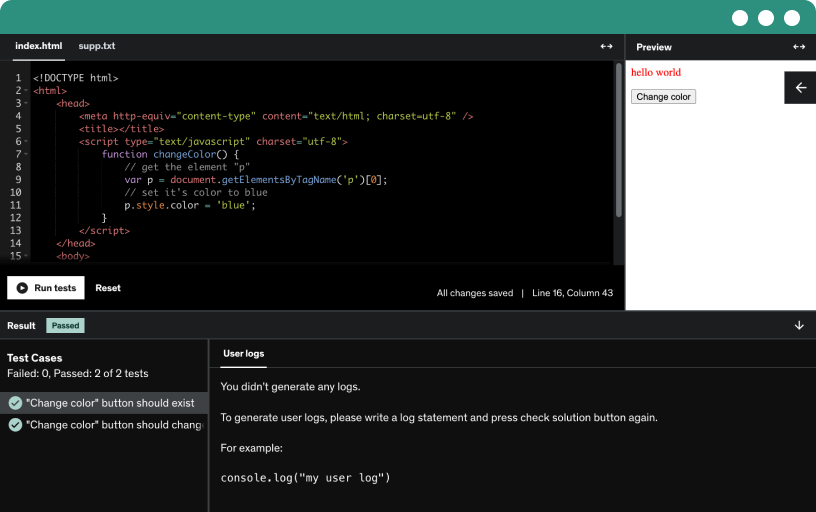
This course includes our updated coding exercises so you can practice your skills as you learn.
See a demo
Meet Rafal Podraza, an experienced software tester and test automation expert who teaches Udemy courses, authored the tester certificate book for ISTQB foundational, and shares hands-on material on YouTube.
Understand what ai means in devops and how to use it now. See how ai goes beyond automation to generate scripts, improve pipelines, and explain problems with ChatGPT and GitHub Copilot.
Discover where generative AI adds the most value in DevOps, from automation and scripting to CI/CD pipelines, debugging, configurations, and documentation.
Explore two simple devops tools: ChartGPT and GitHub Copilot, used in real workflows to generate scripts and code. ChartGPT offers conversational planning, while Copilot assists coding in real time.
Use ai-powered tools to assemble a lightweight Node.js Express api with health and users endpoints, plus basic logging, showing a rapid DevOps workflow.
Learn to generate bash scripts with AI to automate installation, environment setup, and application startup using ChatGPT and GitHub Copilot, with step-by-step logging and executable workflows.
Generate ready-to-use YAML configurations for GitHub Actions with AI, specifying node version, entry file, dependencies, triggers, and runner, then place the file at .github-workflows-node-ci.yml and verify it works.
Automate daily DevOps tasks by integrating AI-powered prompts, a growing pipeline, and editor-based tooling like ChatGPT and GitHub Copilot to extend scripts and improve workflows in VS Code.
Learn to craft DevOps–oriented prompts that supply project context, requirements, logging, error handling, and security to generate practical, production-ready scripts and closer to real DevOps workflows.
Generative AI for DevOps engineers introduces how AI enhances CICD with smart automation, pipeline generation, debugging, and optimization using ChatGPT and GitHub Copilot to accelerate production deployments.
Create a new public GitHub repository for a node project, initialize git, commit, rename main, add origin, and push to establish version control and an AI devops workflow.
Generate a GitHub Actions pipeline for a Node.js project using chat.jpt and GitHub Copilot, automate after every push, and compare AI-powered workflows.
Optimize ci-cd pipelines with generative ai for devops using GitHub Copilot in VS Code, generating health endpoint tests with Jest and Supertest for Express apps and automated workflow tests.
Learn to debug CI/CD errors with AI by analyzing GitHub Actions logs, crafting prompts, and identifying root causes such as YAML issues or typos in package.json, then applying practical fixes.
Define your cloud infrastructure as code to automate provisioning, store configurations in git, and reproduce environments quickly. Explore tools like terraform and pulumi, and see ai-assisted script generation and debugging.
Explore how generative AI speeds up infrastructure as code by generating Terraform configurations for AWS, including EC2, provider setup, and boilerplate code, while emphasizing prompt precision and code review.
Use AI to generate and deploy terraform infrastructure, creating an EC2 t3 micro and S3 bucket in us-east-1, with prompts, plan, apply, and debugging.
Refactor and improve infrastructure as code with GitHub Copilot, simplifying Terraform configurations, standardizing naming and tags, and introducing variables for flexible, readable, and maintainable AWS infrastructure.
Learn to craft precise prompts for infrastructure as code with Terraform on AWS, defining resources, configurations, and expectations to improve the quality and relevance of generated code.
Explore how Docker packages applications with all dependencies into portable images and containers, defined by a Dockerfile and stored in a registry, ensuring consistency across environments, CI/CD, and microservices.
Leverage artificial intelligence to generate a Dockerfile for a Node.js app, then build and run the Docker container, verify health on port 3000, and optimize for security and size.
Explore optimizing dockerfiles with GitHub Copilot to improve security, reduce image size, and boost build performance for a NodeXpress app, including .dockerignore creation and health checks.
Use ai tools like ChatGPT and GitHub Copilot to debug Docker builds, analyze copy step errors caused by typos in package.json, and craft contextual prompts to fix Dockerfile issues.
Observe your system with metrics, logs, and events to detect problems early. Understand monitoring types, essential metrics, and tools like Prometheus and Grafana, plus alerting and AI-enabled insights.
Use ChatGPT for log analysis in DevOps to quickly identify errors and root causes. Craft detailed prompts with context about Docker, Express, and HTTP 500 errors to guide debugging.
AI-powered root cause analysis helps DevOps quickly identify issues from logs or code, such as a null user.name, and apply defensive coding and proper error handling for production-ready endpoints.
Use ai to interpret errors and alerts, identify root causes, and accelerate debugging across backend, docker, and apis.
Explore how ai speeds devops by automating deployments, generating ready-to-use workflows that build, test, and deploy node apps with docker and ci-cd via chat, GPT, or GitHub Copilot.
Automate rollbacks in DevOps with AI to generate rollback scripts and tag-based workflows, verify deployments via health checks, and quickly restore stable versions using GitHub Actions.
Leverage AI to generate technical documentation for a node application, including architecture descriptions and ci-cd workflows. Produce a readme with docker, health checks, installation steps, and local run instructions.
Learn to create AI-generated runbooks for DevOps incidents, using health checks, Node.js deployments, Docker, and GitHub Actions to detect failures, guide recovery, rollback, and verification.
Prepare an EC2 instance on AWS, configure security groups and SSH access for port 3000, and set up deployment automation. Install Docker and Git, then connect via SSH and verify.
Generate the application with AI to rapidly create the project structure, health endpoint, and basic logic in a simple express backend, using prompts and ChatGPT in VS Code.
Create and optimize a dockerfile for a node and express backend, enable port 3000, and produce a production-ready, cache-friendly image suitable for deployment to servers or cloud platforms.
Push the project to a GitHub repository to enable automatic deployment to EC2. Copilot in VS Code creates a ready .gitignore and prevents pushing unnecessary files such as node_modules.
Create a GitHub Actions workflow by generating deploy.yaml, defining triggers, steps, and commands to deploy a NodeXpress app on port 3000 to EC2 via SSH, using Docker and health checks.
Configure GitHub secrets for EC2 deployment by securely storing the EC2 host, user, and SSH key in GitHub Actions, enabling secure, automated deployment without exposing credentials.
Push changes to GitHub and watch GitHub Actions build a new Docker image, deploy to EC2, and verify the updated health endpoint returns version v3.
Engage in hands-on labs that build a serverless REST API on AWS, store test data in S3, and simulate an AI-like bug report classifier.
Set up a basic AWS lambda API exposed through API gateway and test it with JSON inputs to verify proper 400 validation and 200 responses with ticket details.
Prepare the environment by creating an s3 bucket, upload json test data (valid, invalid, edge case), and test the api with Postman using AI-generated data.
Test an ai-like api endpoint by feeding tricky bug descriptions to the AITicketClassifier on a http api and evaluate authentication, payment, or security labeling with confidence.
This course contains the use of artificial intelligence.
Generative AI for DevOps Engineers
Learn how to use Generative AI, ChatGPT, and GitHub Copilot to automate, optimize, and improve modern DevOps workflows.
Welcome to “Generative AI for DevOps Engineers” — a practical hands-on course designed for DevOps engineers, developers, cloud engineers, and IT professionals who want to use Artificial Intelligence in real DevOps scenarios.
In this course, you will learn how tools such as ChatGPT and GitHub Copilot can help you automate repetitive tasks, generate infrastructure configurations, optimize CI/CD pipelines, improve Docker environments, analyze logs, and accelerate deployment processes.
This is not a theoretical AI course.
The focus is on practical DevOps workflows and real examples that you can immediately apply in your daily work.
What You’ll Learn
How Generative AI can support modern DevOps workflows
How to use ChatGPT and GitHub Copilot in DevOps projects
How to generate Bash scripts and YAML configurations using AI
How to automate repetitive DevOps tasks with AI
How to build and optimize CI/CD pipelines with AI assistance
How to debug CI/CD issues using ChatGPT and Copilot
How to generate Terraform configurations with AI
How to improve Infrastructure as Code using AI
How to create and optimize Dockerfiles with AI
How to analyze logs, alerts, and monitoring data with AI
How to automate deployments and rollbacks using AI tools
How to generate technical documentation and runbooks with AI
Prompt Engineering techniques for DevOps scenarios
Best practices for responsible and efficient AI usage in DevOps
Final Practical Project
The course includes a complete practical project where you will:
Prepare an AWS EC2 environment
Generate an application with AI
Create and optimize a Dockerfile
Push the project to GitHub
Build a GitHub Actions deployment workflow
Configure GitHub Secrets for deployment
Perform a complete deployment step by step
Practical Exercises
The course also includes practical tasks and role-play exercises where you will practice real DevOps and AI-related scenarios.
You will additionally complete a theoretical test to validate your understanding of AI-powered DevOps workflows.
Who This Course Is For
DevOps engineers who want to use AI in daily work
Developers working with CI/CD and cloud environments
Cloud and infrastructure engineers
Automation engineers interested in AI-driven workflows
IT professionals who want to improve productivity with AI
Beginners interested in practical AI applications in DevOps
No previous AI experience is required.
All concepts are explained step by step in a practical and beginner-friendly way.
Why Take This Course
Focus on practical DevOps use cases
Real-world examples and workflows
Hands-on exercises and deployment scenarios
Modern AI tools used in the industry
Learn how to save time and automate repetitive work
Improve productivity and DevOps efficiency using AI
Start Learning Today
Discover how Generative AI can transform the way you work in DevOps.
Learn how to automate pipelines, generate infrastructure, optimize Docker environments, and accelerate deployments using ChatGPT and GitHub Copilot.