
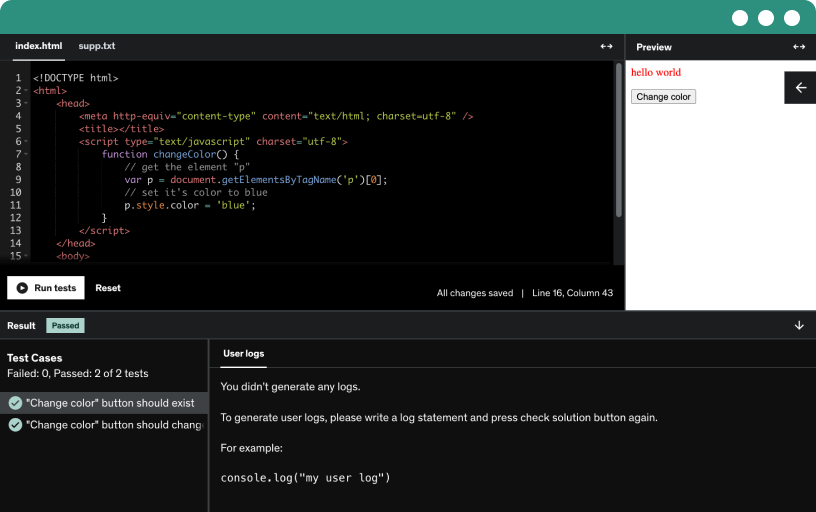
This course includes our updated coding exercises so you can practice your skills as you learn.
See a demo
Kick off with a guided, step-by-step introduction to creating secure restful APIs, emphasizing practical coding exercises, independent practice, and asking questions through forums.
Learn to download and install Sublime Text editor with a step-by-step guide for Windows, Linux, and Mac, enabling beginners to access and use the editor quickly.
Learn the basics of css syntax by defining selectors and declaration blocks with name-value pairs, applying properties like color and margin to html tags such as h1 and p.
you will learn file extensions and source code notes
Generative artificial intelligence is artificial intelligence capable of generating text, images, videos, or other data using generative models, often in response to prompts. best ai tools are chatgpt, tabnine for developers, and more
You will learn how to learn online courses in a more productive way.
You will know the top AI tools every professional needs to boost productivity and achieve smarter results
Learn how padding adds space inside a box using top, right, bottom, and left values with length, percentage, and inherit options to control text and image alignment.
Learn to apply borders using the border-style property, practicing dotted, dashed, solid, double, groove, ridge, inset, outset, hidden, and none on boxes and image boxes.
Learn to style hyperlinks with CSS, including target _blank behavior, and control unvisited, visited, hover, and selected states with colors such as red, green, hot pink, and blue.
Learn to apply font families in CSS to paragraphs and divisions, using generic and specific fonts with fallbacks, and classes for serif, sans-serif, monospace like Times New Roman, Arial.
Explore the CSS box model by defining content, padding, borders, and margins around HTML elements to control layout and spacing.
Create and beautify a data table by defining rows and columns, populating it with company, name, and country data, and applying css styling such as font, borders, and hover effects.
Learn to build a navigable top bar with menu items using UL/LI and anchor tags, and apply CSS to style and decorate home, about, products, and contact links.
Learn to implement and style dropdowns with hover effects, create dropdown list items using tags and links, and control dropdown content with CSS classes for positioning and visibility.
Learn how to build a basic website layout with header, top menu, a three-column content row, and a footer using divs and CSS, including responsive adjustments for small screens.
Explore how to use pseudo classes in CSS to style anchor tags and implement a hover effect with color and weight changes.
Apply shadow effects to text elements such as h1 and h2 using text-shadow, adjusting color, offset, and blur. Explore box shadow and texture shadow options to enhance headers and typography.
Explore the differences between UI and UX design, and learn how design thinking, prototypes, and implementation shape user experience, visuals, typography, color cues, and interactive elements in apps.
Learn to integrate social media icons into a web page using Font Awesome, with open-source resources, proper head tags, and hover effects for a clean, responsive icon set.
Learn to integrate external css by linking a main.css file and applying styles to body and h1. Reuse the external css across pages with dev tools f12 for quick tweaks.
Set up the local development environment for restful API development with PHP, Apache, and MySQL, using Postman for testing and Composer for building a basic PHP project.
Install and configure the XAMPP exam server to create a local PHP, MySQL/MariaDB, and Apache development environment, and start services via the control panel.
Create a php project in the hd docs root, start Apache and MySQL, then open localhost to test the environment and prepare a php welcome file.
download these source code sample project files and get ready to start your learning, which will help you all time in the course training journey
PHP is a server-side open-source scripting language that enables dynamic web pages, integrates with HTML, runs on Apache or IIS, and works with databases like MySQL and PostgreSQL.
Create a modular php project structure for rest APIs by establishing folders, a common database connection, and a jwt token handler.
Create a database connection class for a php rest api, with private hostname, database name, username, and password, and implement a try catch connection with getMessage on error.
learn how to implement a PHP auth middleware that validates JWT tokens from the authorization header, decodes data, checks expiry, and fetches user details from MySQL using prepared statements.
Learn how to insert data into a database table using the insert query, handling auto-incremented ids and supplying values for name, description, price, category, created, and modified fields.
Learn to craft MySQL select queries to fetch all columns or specific fields from the items table and apply filters such as id = 9 to narrow results.
Learn to perform a MySQL update using set and where clauses to modify a specific record, updating a description for a given id, ensuring only one row is affected.
Learn to perform MySQL delete queries safely in API contexts, using delete from items where id=4, and avoid omitting the where clause to prevent data loss.
Get the project2 source code from the updated GitHub restful api web services repository by cloning or downloading a zip, then move it to the ZAM project directory.
Master creating a secure database connection in PHP using mysqli, configuring localhost or production server parameters, username, password, and database, and saving as connection.php for RESTful API projects.
The "Create RESTful APIs using PHP, POSTMAN, and MySQL: Secure API" course is a hands-on guide for developers looking to build secure and scalable RESTful APIs. Whether you're new to API development or looking to enhance your skills, this course will teach you how to create powerful APIs using PHP, POSTMAN, and MySQL while ensuring data protection and secure access.
update: Learn the top AI tools every professional needs to boost productivity
Learn New ChatGPT AI Tools
You’ll start by understanding the fundamentals of RESTful API architecture, and how to design and build APIs that adhere to industry standards. Learn how to create endpoints for handling GET, POST, PUT, and DELETE requests, manage query parameters, and send proper responses in JSON format.
The course covers PHP for developing server-side logic, including handling user input, processing requests, and managing authentication. You’ll learn to secure your API with JWT (JSON Web Tokens) for user authentication, and implement role-based authorization for access control.
Next, you’ll explore MySQL for database management. Learn how to store and retrieve data efficiently, use SQL queries, and protect sensitive data through secure database practices.
The course also integrates POSTMAN for testing and debugging your APIs. You’ll learn how to write automated tests to validate your API responses and ensure that your API is functioning as expected under different scenarios.
By the end of the course, you’ll have the knowledge to build secure, scalable RESTful APIs with PHP, POSTMAN, and MySQL, making you proficient in API development for modern web applications.
Enroll now to start building secure, fully functional APIs!