
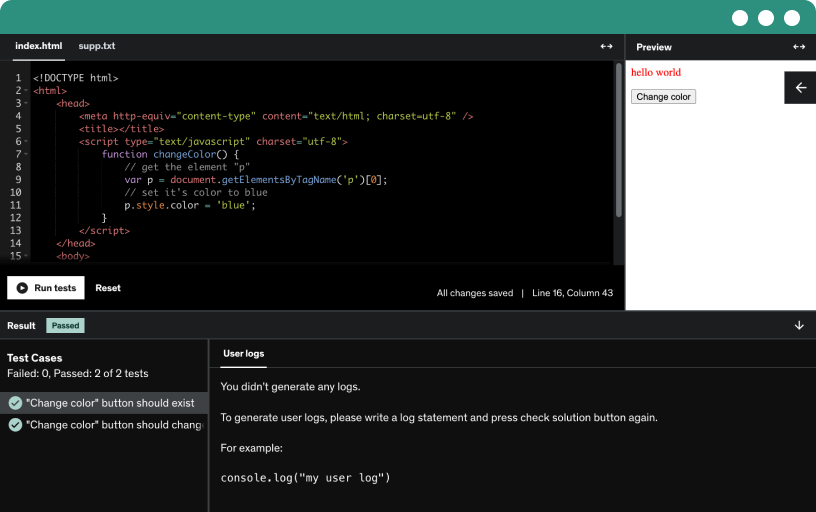
This course includes our updated coding exercises so you can practice your skills as you learn.
See a demo
Explore the complete C programming masterclass to learn all C sharp tools through practical, real-life examples, guided by an instructor with over 20 years in IT.
Explore a complete C# programming course from beginner to advanced levels with labs, quizzes, and exercises, covering object-oriented programming, variables, data types, control flow, collections, threading, and Unity game development.
Explain how computers understand only binary, through encoding zeros and ones, and how high-level languages with a compiler translate to low level binary.
Learn how programming languages split into low level and high level, and explore procedural, object oriented, functional, scripting, markup, and query languages with examples like C, Java, HTML, and SQL.
Explore object oriented programming by treating data as objects with behavior. See how a car object uses methods like unlock and drive to illustrate modular, reusable code.
Explore how programming languages map to real world applications. Map C++ to operating systems and games, and show how Java, Python, C#, and Ruby enable web, mobile, and data analysis.
Contrast the programmer and software developer roles, focusing on coding and testing versus design, usability, and user experience with clients to deliver user-friendly, accessible applications.
Explore c sharp, a Microsoft object-oriented language on the dot net framework, with strong type safety, automatic memory management, and tooling like Visual Studio, Azure, SQL Server.
Trace the late 1990s origins of C#, inspired by Java, as Microsoft develops a modern, safe language for the .NET framework, led by Anders Hejlsberg, released in 2000.
Explore how the name C# reflects a musical sharp and a higher version of C, and how it relates to C and C++, with the hash symbol chosen for practicality.
C# combines beginner-friendly syntax with cross-platform capabilities, built-in security, and a large community. It supports object-oriented and asynchronous programming and scales from desktop to web, mobile, and games.
Explore how C# enables desktop, web, mobile, and game development in a single ecosystem, from Windows Presentation Foundation and Windows Forms to ASP.NET, Xamarin, and Unity.
Learn to succeed as a C# developer through continuous learning, real-world projects, and community engagement, while mastering Visual Studio, OOP, inheritance, and design patterns.
Design your lab for c# by installing the dotnet sdk and visual studio on windows, meet minimum ram, cpu, disk space, and internet requirements, and prepare unity installation.
Explore the dotnet SDK, Visual Studio, and Unity, and learn why they matter for C sharp programming—from core libraries and runtime to debugging, packaging, dependencies, and cross-platform development.
Install and configure the dotnet sdk on Windows, selecting net 9.0 as the recommended version. Verify with dotnet --version and update the system path to include the Microsoft.net framework v4.0.
Install and set up Visual Studio 2022 Community Edition, selecting the desktop .NET development workload and dotnet 6.0, to begin building WPF applications.
Explore top level statements in C sharp, a feature that lets you write C sharp code without classes or main method, with a file entry point generated by the compiler.
Practice essential C sharp exercises on Udemy to guide beginners through top level statements and navigating Visual Studio vs the Udemy IDE. Explore Byte short long primitive data types exercise.
Write a first c# program in notepad and command prompt, save as .cs file in c sharp code directory, then compile to CIL and exe to run hello world.
Explore the integrated development environment (IDE), a toolkit that combines a text editor, compiler, and debugger to write, compile, and test code, converting it to machine language.
Create and run a hello world console app in Visual Studio, choosing a .NET six or seven target, and navigating project templates, solution explorer, and basic run workflow.
Explore variable naming conventions in C sharp, including camel case, Pascal case, and snake case, and learn case sensitivity, no spaces, no digits at the start, and descriptive names.
Explore what keywords are in C#, how they are reserved and case sensitive, and examine primitive types, control statements, modifiers, and other keywords like this, super, and null.
Examine the ranges of primitive data types in C sharp, including signed and unsigned integers, and explore how float, double, and char types define value limits and storage.
Practice declaring and using C# variables across int, float, double, char, and string types in a Visual Studio console project, displaying values with Console.WriteLine and exploring ranges and exponential notation.
Explore signed and unsigned primitive datatypes in C#, including byte, sbyte, short, ushort, long, ulong, and uint, with examples of when to use each for efficient integer handling.
Practice declaring and validating byte, sbyte, short, unsigned short, long, and ulong variables in Visual Studio, printing values to the console and checking range limits.
Explore the char vs string distinction in C#, including Unicode, escape sequences, ASCII, and typecasting, and learn string concatenation with Hello World examples.
Explore typecasting in C#, covering widening (implicit) casting from int to double, narrowing (explicit) casting from double to int, defaults, ascii and unicode values, and data loss risks.
Explore string manipulation in C#, including concatenation, composite strings, formatting, interpolation, and verbatim strings, then apply substring, lower and upper cases, trim, and index of to format and validate data.
Handouts
Learn C# coding standards in Visual Studio, including guidelines, best practices, and style. Understand single-line, multi-line, and XML documentation comments, and apply naming conventions for variables and functions.
Start Visual Studio, create a new console dotnet project named Knixwear, and print hello world to learn the basic C# program structure with namespace, class, and main method.
Explore the difference between console app and console app .NET framework in Visual Studio, including project structure, namespace, class, and main method, and learn when to choose each platform.
Learn how operators in C# act on operands to form expressions, including arithmetic, relational, logical, and assignment, with examples like a + b * c and string concatenation.
Explore arithmetic operators in C# with practical demonstrations of addition, subtraction, multiplication, division, and the increment and decrement operators, including postfix and prefix forms and plus-equal compound assignments.
Explore conditional statements in C# using if-then to control program flow, validate input, and guide decisions, with a focus on syntax and practical benefits and limitations.
Learn to use logical operators in C# to evaluate boolean expressions, combine conditions with and, or, not, and apply these in if statements and loops.
Explore or and not logical operators in C# with examples showing how the or operator tests multiple conditions and how the not operator negates booleans in if statements and loops.
Master C# assignment operators, including equals and compound forms, and learn the difference between assignment = and equality == operators, along with benefits like conciseness, readability, and fewer errors.
Explore C# comparison operators such as equal to, not equal to, greater than, less than, and chain conditions in if, switch, and loops; learn their uses, advantages, and limitations.
Explains the C sharp ternary operator as a shorthand for if else, with condition ? expression one : expression two, and covers advantages, limitations, and a Visual Studio example.
Handouts
Learn how if, else, and conditional statements drive execution in C#, providing a fallback for false conditions. A practical example checks if a number is positive or negative.
Use ladder if else control statement in c sharp to evaluate multiple conditions in sequence with else if blocks; the first true condition executes, otherwise the final else handles fallback.
Explore ladder if else and else-if conditionals in C# with class-based examples that classify ages into child, teenager, adult, or senior citizen and map days to themed messages.
Explore nested if-else statements in C#, using inner and outer if blocks to create layered conditions. Demonstrate with a number positive and even check via modulus.
Explore how the switch statement in c sharp selects a code branch based on an expression using case, break, and default, and compare it with if-else for cleaner, faster code.
Practice using if-else and switch statements in C# to map a day value to Monday, Tuesday, or Wednesday, and handle an invalid date with a default case.
Explore how the enhanced switch in C# 8.0 enables switch expressions that return a result, mapping numbers to strings with a default underscore case; note this expands beyond actions.
Calculate areas for ellipse, trapezoid, and parallelogram using an enhanced switch statement, then apply ellipse pi*a*b, trapezoid (a+b)h/2, parallelogram base*height.
Identify common mistakes new programmers make with decision making statements, from missing parentheses and confusing = vs == to misplaced else, braces, and proper use of if, else, and switch.
Explore how methods in C# encapsulate tasks, with components (modifiers, return type, name, parameters, body), how to define and call custom and main methods, and distinguish non-parametric and parametric methods.
Master the return statement in a C# method by specifying a return type (such as double) and returning a computed value, demonstrated with a circle area example.
Create a C# program that reads student names and scores, computes a position via a ladder if-else in the position method, and prints each student's name with their position.
Learn how to implement a temperature conversion program in C# with two methods: calculate temperature and print result, converting between Celsius and Fahrenheit using standard formulas and user input.
Build a C# leap year finder using a leap year method and the modulus operator to test divisibility by 400 or by four but not by 100, with console input.
practice rectangle and square calculations by implementing C# methods for rectangle perimeter, rectangle area, square perimeter, and square area in a console program.
Explore method overloading in C# by using the same method name with different parameter sets, guided by unique signatures and supported by the compiler for type-safe, reusable code.
Explore overload resolution priority in C# and how the compiler selects the best overload based on exact matches, conversions, and specificity to reduce errors.
Apply method overloading to calculate areas of rectangle, square, triangle, and circle. Implement four area methods in a shapes class using formulas, including pi 3.14.
practice string concatenation with method overloading by implementing two overloaded methods in C#: one concatenates two strings, the other uses a separator, and print results from main.
Learn to compute the Fibonacci sequence with recursion in C#, building a Fibonacci function and a print helper to display a user-specified number of terms.
Master exception handling in C# by using try, catch, finally, and throw to manage runtime errors such as divide by zero, ensuring robust input handling and resource cleanup.
Explore how debuggers and debugging work in C sharp using Visual Studio, including breakpoints, stepping, inspecting variables, memory and stack inspection, watch expressions, to identify syntax, runtime, and logical errors.
Explore how interceptors in C# act as a middleman between a function and its execution, enabling input checks, data modification, and logging before a call; delegates provide an implementation path.
Explore loops in C sharp, including for, while, and do while, and learn how they enable repeated execution for data processing, automation, and building efficient algorithms in programming.
Master for loops by initializing, testing, and updating a counter, and printing iterations from 1 to 5; explore continue to skip, and break to stop at specific values like 8.
Practice finding prime numbers with a for loop and an isPrime method that determines whether a given number is prime and prints the result.
Explore the while loop in C sharp, initializing number to ten, testing number >= 1, decrementing with number--, and printing each value from ten down to one.
Build a C# even-odd finder using a while loop in Visual Studio, with a checkEvenOdd method and modulus logic to print numbers from 5 to 11 as even or odd.
Explore the do-while loop in C# and see how it executes at least once before condition checks, with examples for input validation, file reading, calculations, and game logic.
Write a C# program that sums integers from 21 down to 11 using a do while loop in Visual Studio. Print the final summation, 176.
Explore nested loops in C#, using an outer loop and an inner loop to print the multiplication table from 1 to 10, with tab-separated values and row breaks.
Develop a C# console exercise that prints a right-angle triangle of asterisks using nested loops and prompts for the number of rows.
Explore classes and objects in C# as blueprints for objects with state and behavior. Learn constructors and the new keyword to instantiate objects and call startup using dot notation.
Explore properties, fields, and methods in a C# class, detailing auto-implemented properties, custom getters and setters, and how they manage access to private fields.
Explore how constructors initialize objects in C sharp, including default, parameterized, copy, static, and private forms, and contrast them with destructors or finalizers that clean up resources.
Build a console library management system in C# using Visual Studio, featuring a library class with name, max books, book counts, add book, display books, and a destructor.
Explore encapsulation and access modifiers in C#. Understand how public, private, protected, and internal control visibility and how encapsulation hides implementation details behind a simple interface.
Learn to build a simple person information management system in C# by implementing a private fields class with public properties, input validation for age, and a display method.
Introduce arrays in C# to store multiple values of the same type, explain single and multi-dimensional arrays, zero-based indexing, declaration and initialization, and iterating with a for loop.
Practice finding the minimum and maximum numbers in an array using min and max methods, a foreach loop, and user input in C#.
Implement a C# console program that reverses an array in place using a two-pointer approach, prints the original and reversed arrays, and handles user input.
Explore how lists in C# act as dynamic arrays in System.Collections.Generic namespace, growing or shrinking as needed, and compare them to arrays, including array list, linked list, and hash set.
Compare the performance of ArrayList and LinkedList by building 1 million elements and retrieving the item at index 500,000, then report the retrieval times.
Explore dictionaries in c sharp, storing key-value pairs with unique keys, adding entries, retrieving values, and checking for key existence, illustrated by an age dictionary for John, Alice, and Bob.
Practice checking a dictionary for a value by building an employee records app that collects id and name until the user types exit, stores them, and verifies a given name.
Explore the differences between strings and string builder in C sharp. Strings are immutable, creating new objects on modification, while string builder is mutable and optimizes repeated modifications.
Explore stacks and queues in c sharp, covering fifo and lifo principles, enqueue and dequeue, push and pop, and how these structures relate to arrays and linked lists.
Create a hot potato game simulation in C# using a queue and a stack, implementing game flow, elimination, and winner display with user prompts.
Create a C# restaurant order tracker by building menu and order dictionaries, displaying the menu, taking validated orders, calculating the bill, and applying a 10% discount for totals over 100.
Explore how a derived class inherits properties from a base class in C#. Examine single, multi-level, and hierarchical inheritance, and how interfaces address multiple inheritance constraints.
Learn to compute circle radius, area, height, and cylinder volume by implementing circle, area calculator, and cylinder classes with protected fields, and public setters and getters in C#.
Explore polymorphism in C# by comparing compile-time overloading and runtime overriding, using an animal and dog example to demonstrate virtual methods, overriding, and casting to access subclass features.
Explore object-oriented design by building a car hierarchy with a base car class and derived sports and electric cars, illustrating polymorphism through overriding display info, start engine, and accelerate.
Explore abstraction through abstract classes and interfaces, hiding complexity while exposing essential features. Show how derived classes implement abstract definitions and interface contracts in a college example with 100% abstraction.
Build a gym fitness system in C# by defining a gym membership interface, an abstract gym member class, and a premium member that displays membership details.
The Complete C# Training
Welcome to " Complete C# Programming Master Class" an extensive and meticulously crafted Udemy course dedicated to transforming individuals into adept C# professionals. This course is uniquely designed to cater to a wide range of learners, from novices exploring C# for the first time to experienced programmers aiming for advanced C# mastery and certification. Whether you aspire to create immersive games with Unity, develop robust desktop applications with .NET, or build dynamic web applications with ASP.NET, this course provides the comprehensive skills and knowledge you need to excel in various areas of software development.
Course Highlights:
1. C# Programming Essentials:
C# for Beginners: Start your C# journey with an in-depth exploration of C# programming basics. This introduces the .NET framework and lays the foundation in Object-Oriented Programming (OOP), a cornerstone of C# development.
C# Basics and Beyond: Explore the fundamental concepts of C# programming, covering critical elements such as variables, data types, and control structures. This is essential for building a strong base in C#.
2. Advanced C# Programming:
Core C# Proficiency: Progress to more sophisticated topics in core C#, including C# APIs, Delegates, and Lambda Expressions.
C# Inheritance: Understand the intricacies of C# inheritance, a vital concept for developing complex and efficient C# applications. Explore various enhancements to C#'s capabilities in different application domains.
C# Abstraction: Learn how abstraction simplifies complex systems by modeling classes based on essential properties and behavior while hiding unnecessary details. This allows developers to focus on the high-level design of the system without worrying about implementation specifics.
C# Polymorphism: Learn how polymorphism allows a subclass to provide a specific implementation of a method defined in its superclass. This enables a client to interact with objects of different classes in a unified way, enhancing code flexibility and extensibility.
3. Real-World Projects and C# Certification Readiness:
Hands-On Learning Experience: Engage in practical projects, part of our complete C# Masterclass curriculum, designed to simulate real-world challenges and sharpen your problem-solving skills.
C# Certification Preparation: Specifically designed content and practice exercises prepare you for C# certifications, ensuring you are well-equipped to excel in these career-advancing tests.
4. Specialized Areas of C# Development:
Unity for Game Development: Learn how to leverage C# in Unity to create immersive and interactive games. You will understand how C# scripts can be used to control game objects, manage physics, handle user input, and create complex game logic. The course covers the Unity editor, game asset integration, and optimizing performance to ensure a smooth gaming experience.
.NET for Desktop Application Development: Explore how C# is used in the .NET framework to develop robust and efficient desktop applications. This section includes building Windows Forms and WPF (Windows Presentation Foundation) applications, understanding event-driven programming, working with data-binding, and creating user-friendly interfaces. You will also learn about integrating databases and deploying desktop applications.
ASP.NET for Web Development: Understand how to use C# in ASP.NET to build dynamic and scalable web applications. You will learn how to manage user authentication and authorization. Additionally, the course covers techniques for optimizing web application performance and security.
Why Enroll in This Course?
Unlimited Access and Continuous Updates: Gain lifetime access to all course materials, including future updates, with no extra costs. This ensures you stay updated with the latest in C# technology.
Practical Application Focus: Move beyond the basics to practical application, ensuring you are adept at handling real-world programming tasks efficiently.
Community and Professional Support: Benefit from a supportive community of learners and experienced C# professionals, enhancing your learning with collaborative opportunities and expert guidance.
Career-Oriented Curriculum: The course content is designed to align with current industry demands, making you a well-rounded, job-ready C# developer upon completion.
This course is not merely about learning C# programming; it's an exhaustive journey to mastering C# in its entirety, from fundamental basics to advanced applications, platforms, and certification preparation. It's suitable whether you’re learning C# for personal development or aiming to become a celebrated C# Masterclass graduate.
Enroll now in " Complete C# Programming Master Class" on Udemy, and begin your journey towards becoming a skilled, certified C# developer. We are excited to be a part of your learning adventure, guiding you every step of the way to C# mastery!